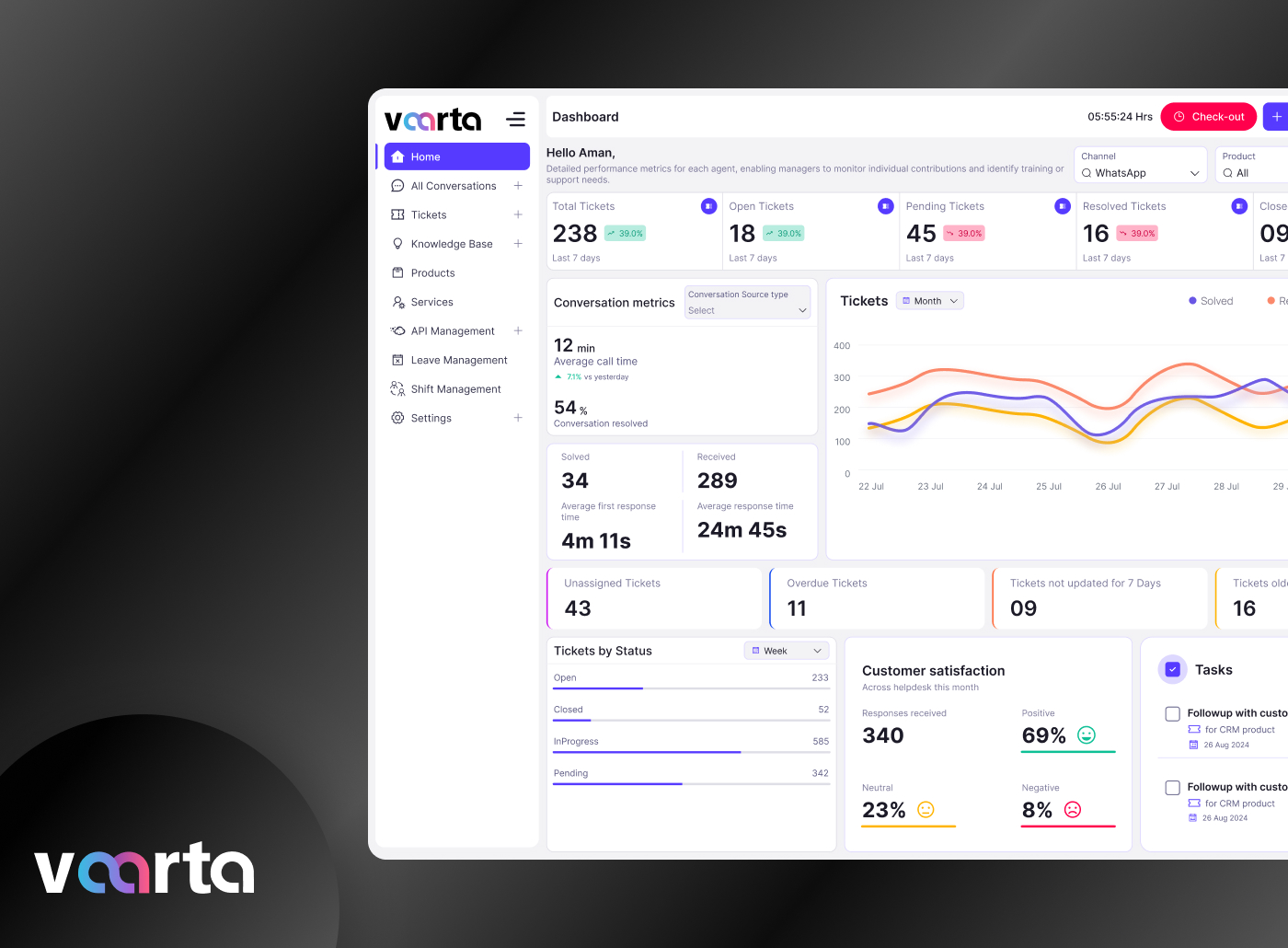
The Automatic Number Plate Recognition (ANPR) System is a smart vehicle monitoring and management platform designed for residential societies, commercial complexes, parking facilities, and industrial units. The system automates vehicle identification, entry-exit tracking, and security management using number plate recognition technology.
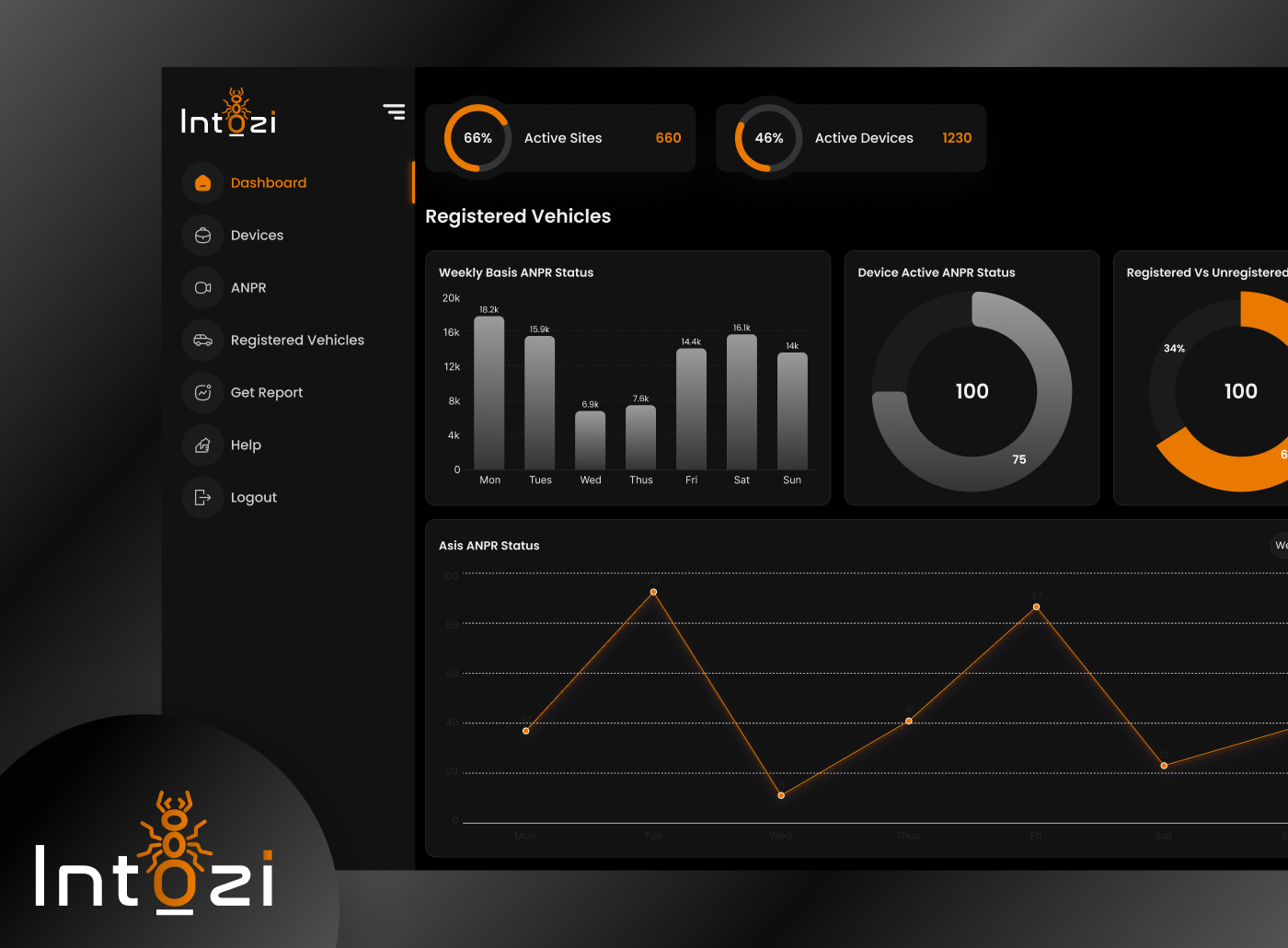
The platform enables administrators and security personnel to efficiently manage registered vehicles, monitor live entries, track visitors, generate reports, and improve overall security operations through a centralized dashboard.
The project focuses on building a clean, accessible, and efficient digital experience for users who interact with the system daily.
Category
Platform
The Goal
The primary goal of this project was to design a user-friendly and efficient ANPR dashboard system that simplifies vehicle monitoring and access management.
The platform aimed to:
Reduce manual vehicle entry processes.
Improve security monitoring.
Enable real-time vehicle tracking.
Minimize operational delays at entry/exit points.
Provide an easy-to-use dashboard for administrators and security staff.
Maintain accurate records of registered and unregistered vehicles.
Improve the efficiency of parking and gate management systems.
Create a scalable solution suitable for societies, corporate buildings, and industrial campuses.
The Challenge
While designing the system, several challenges were identified:
1. Complex Data Management
The platform handles a large amount of vehicle-related data such as registration numbers, entry logs, parking details. Presenting this information clearly without overwhelming the users was a major challenge.
2. Fast Accessibility
Security personnel and administrators require quick access to information during vehicle verification. The interface needed to support rapid decision-making with minimal clicks.
3. Multiple User Types
Different users such as administrators, security guards, and parking operators interact with the system differently. Designing a flexible interface that works for all user types was essential.
4. Real-Time Monitoring
The system needed dashboards that display live camera devices activity, recognition status, and analytics in a simple and understandable manner.
5. Usability in High-Pressure Environments
Security checkpoints often operate in busy and stressful environments. The interface needed to be intuitive and error-free to support smooth operations.
6. Data Visualization
Presenting analytical data such as registered vehicles, recognized entries, and alerts in visually understandable formats required effective dashboard planning.
The Solution
To address the identified challenges, a modern and user-centric ANPR dashboard system was designed.
Key Solutions Implemented:
Created a clean and minimal dashboard interface.
Designed quick-access navigation for fast task completion.
Used charts and analytics cards for easy data interpretation.
Implemented categorized vehicle management modules.
Added QR code-based device pairing system.
Structured tables for easy data scanning and filtering.
Simplified registration and login processes.
Used visual hierarchy to prioritize important information.
Designed responsive layouts for different screen sizes.
Added ticket management features for support requests.
The final design successfully balances usability, security monitoring, and operational efficiency.
Design Process
I was in responsible for both strategy and visual design for this project as the experience designer.
Discover Phase
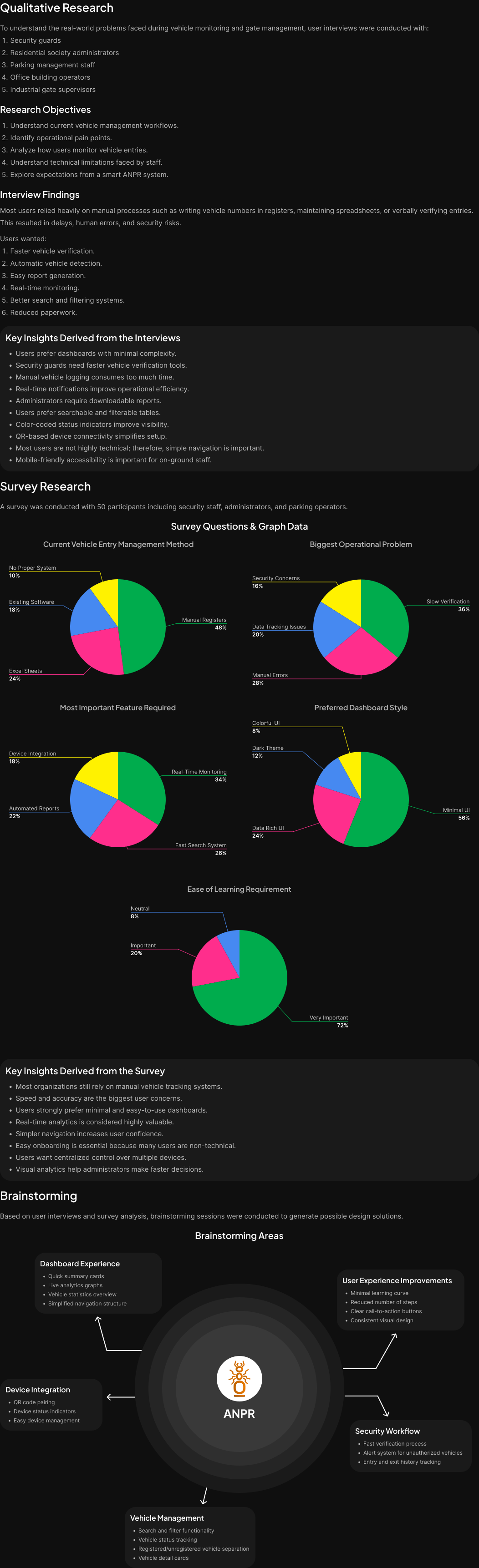
Define Phase
Parsonas
I developed a persona that represents the ideal application user using the information gathered from the survey and interviews. Because the persona provided a thorough insight of the user's objectives, problems, and general personality, it assisted me in coming up with better solutions.

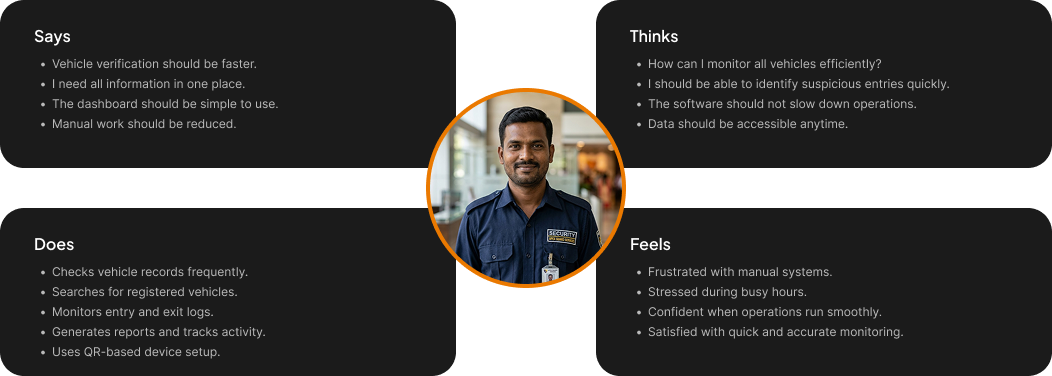
Empthay Map
This procedure was carried out in order to better define the target audience and provide examples of their demands and behaviors. I was able to understand their feelings and thoughts by using empathy mapping. The empathy map's information is derived from user interviews.
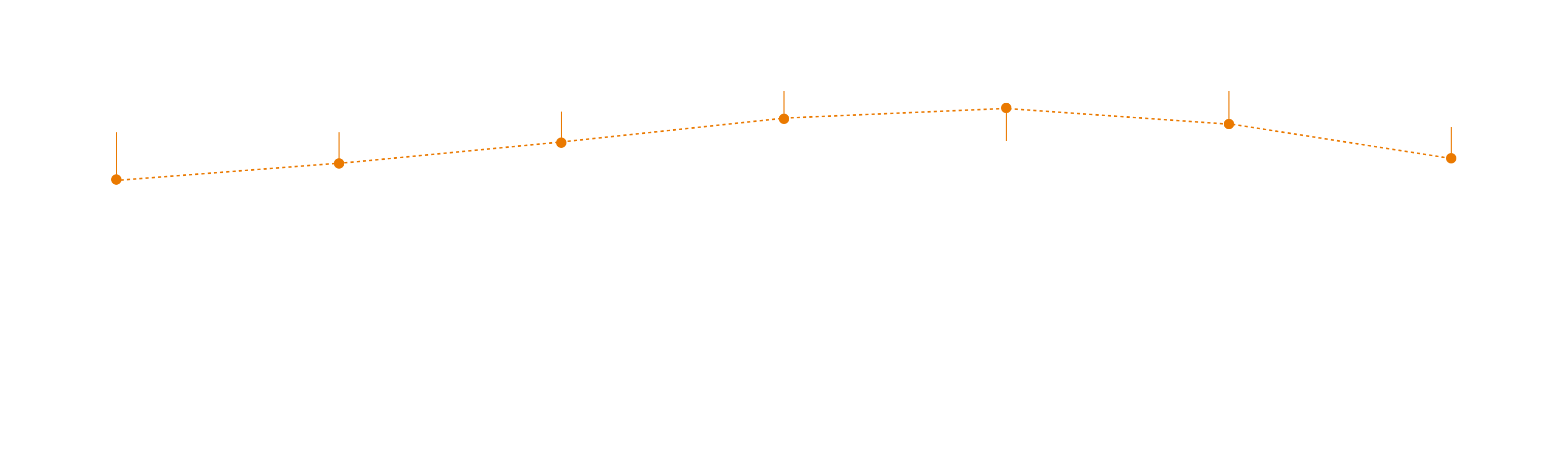
User Journey Map
To identify areas where we can enhance the user experience, we created a visual representation of the user's journey across all of our applications touchpoints.
Ideate Phase
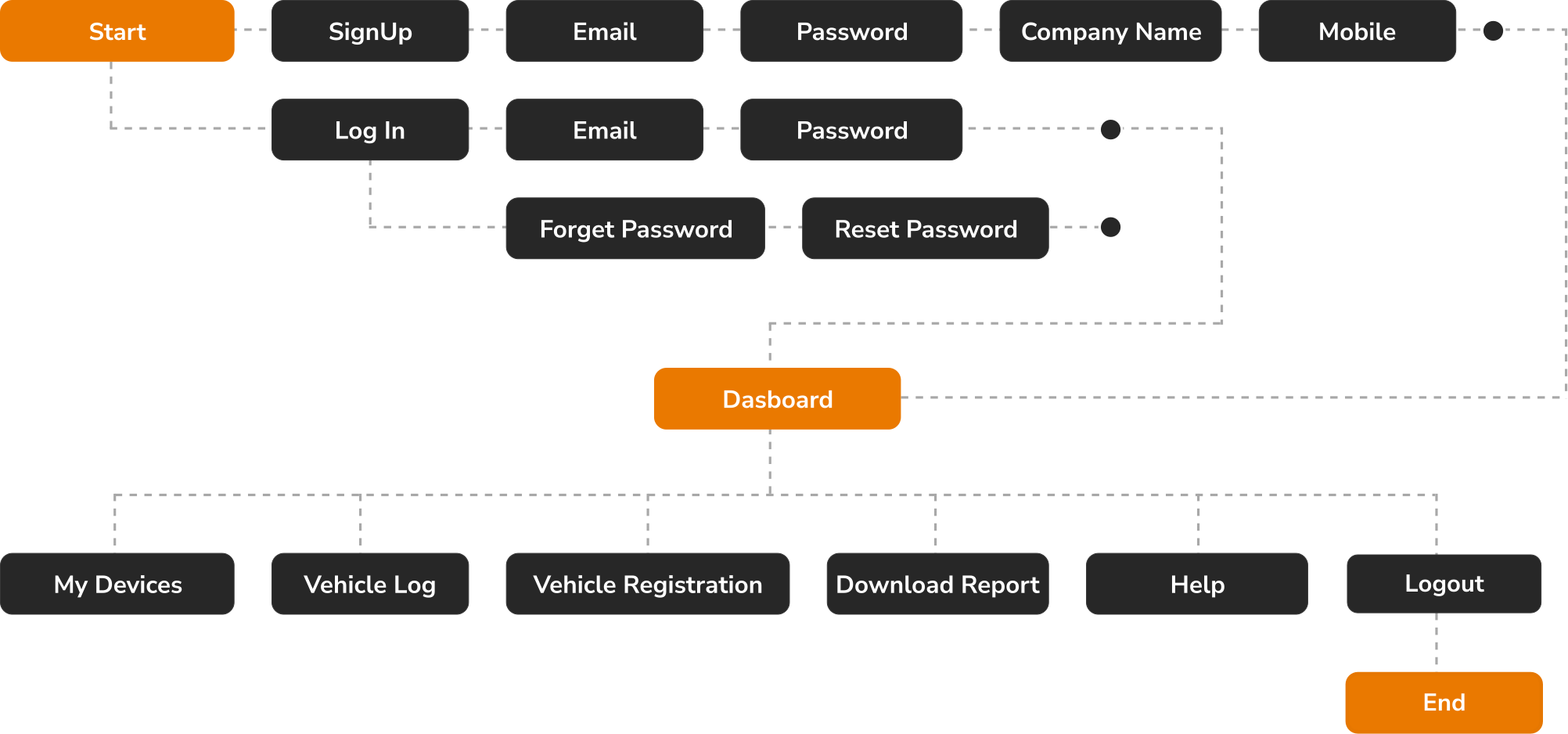
User Flow
To show how the user will move around the application, I used Miro to construct a flow.
Card Sorting
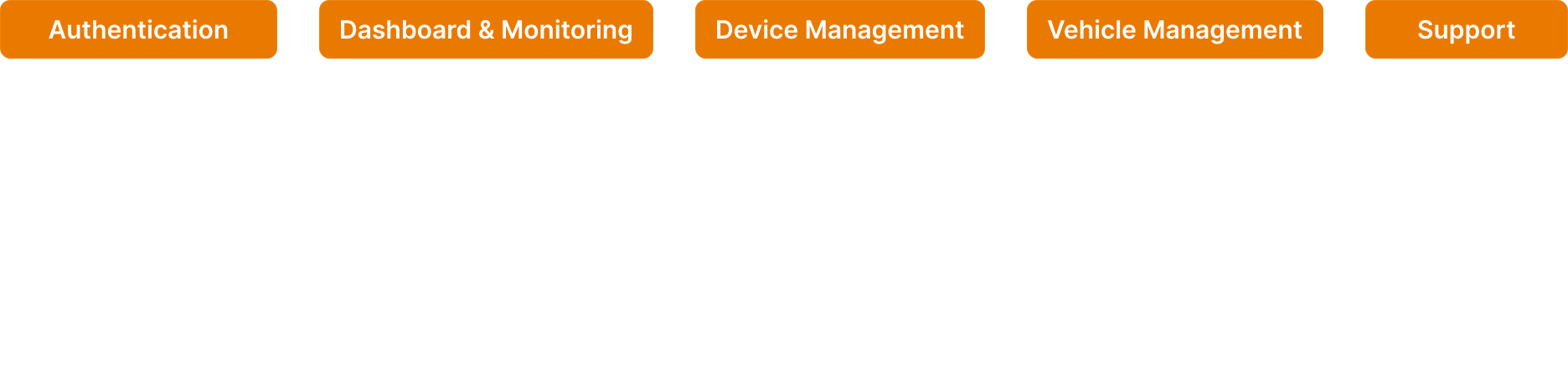
To further help in the organization of the information architecture, all the features were categorized under several parts using card sorting.
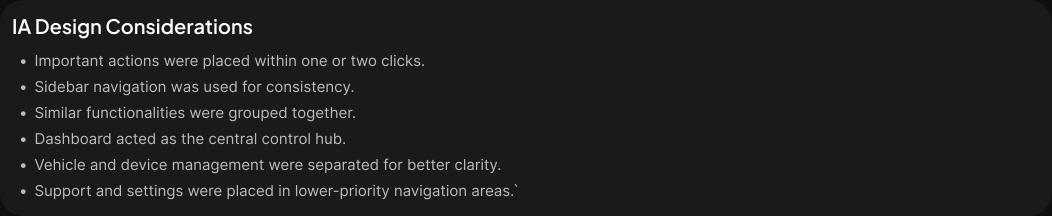
Information Architecture
To better fit the application's goals, the card sorting was significantly improved. To make them easier to find, some of the features were re-categorized.

Design Phase
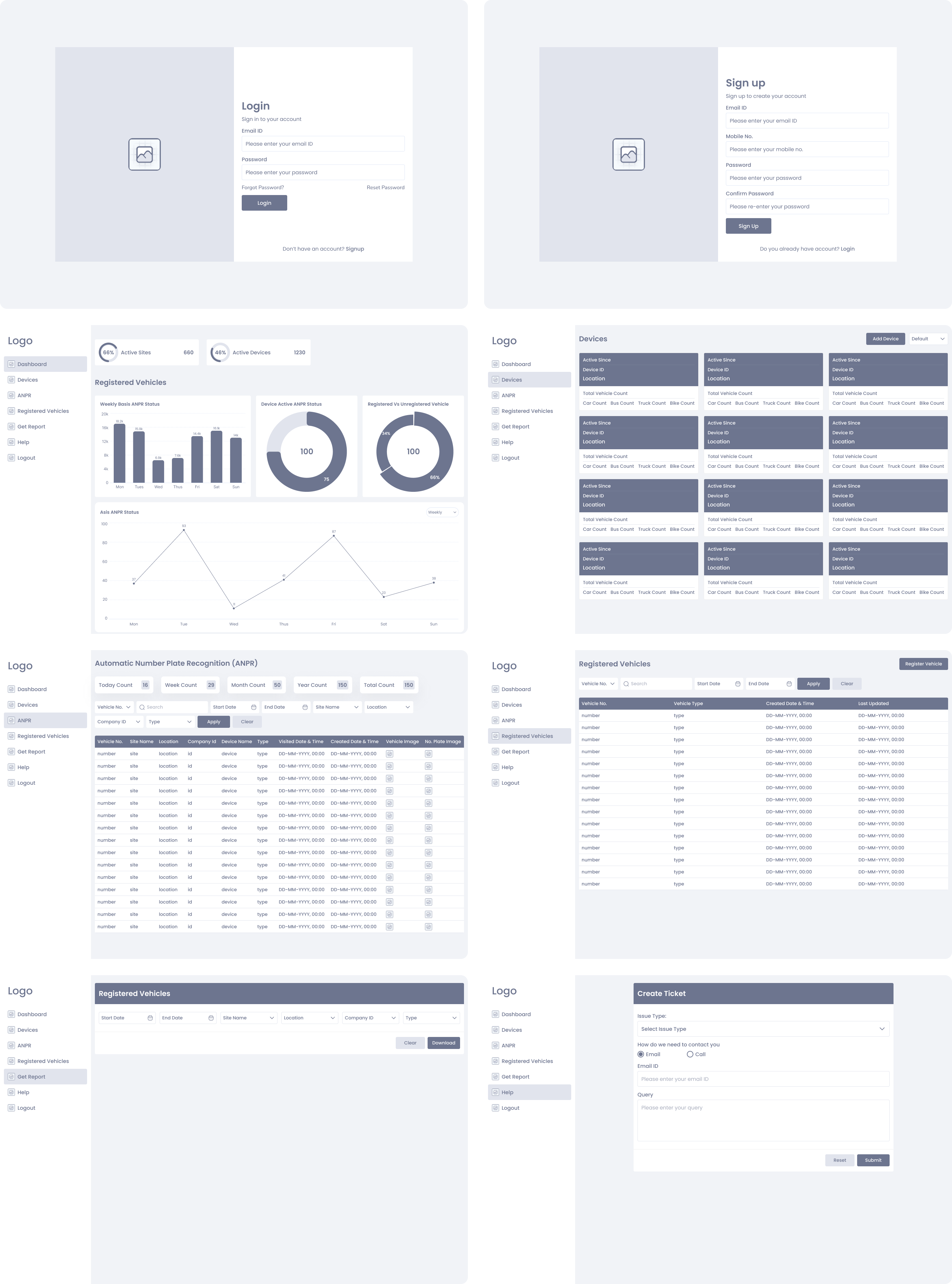
High Fidelity Wireframes
I started by drawing the Low Fidelity Wireframes on paper. I used Figma to construct these High Fidelity Wireframes after making the necessary adjustments in accordance with the design standards.
Colors
To create the Final Design I choose these colors.

Typography
In this Design I preferred to use this Font Family and the scale of the Font Size.

Logo
Here are the logo's which represent this Brand.

Designed Screens
Well-structured UI screens focused on improving usability and enhancing user satisfaction.


Test Phase
Usability Testing
Usability testing was conducted with administrators, security guards, and parking management staff to evaluate the usability and efficiency of the ANPR system.

Implementing Feedback
The suggestions form usability testing were considered and the following changes were made.