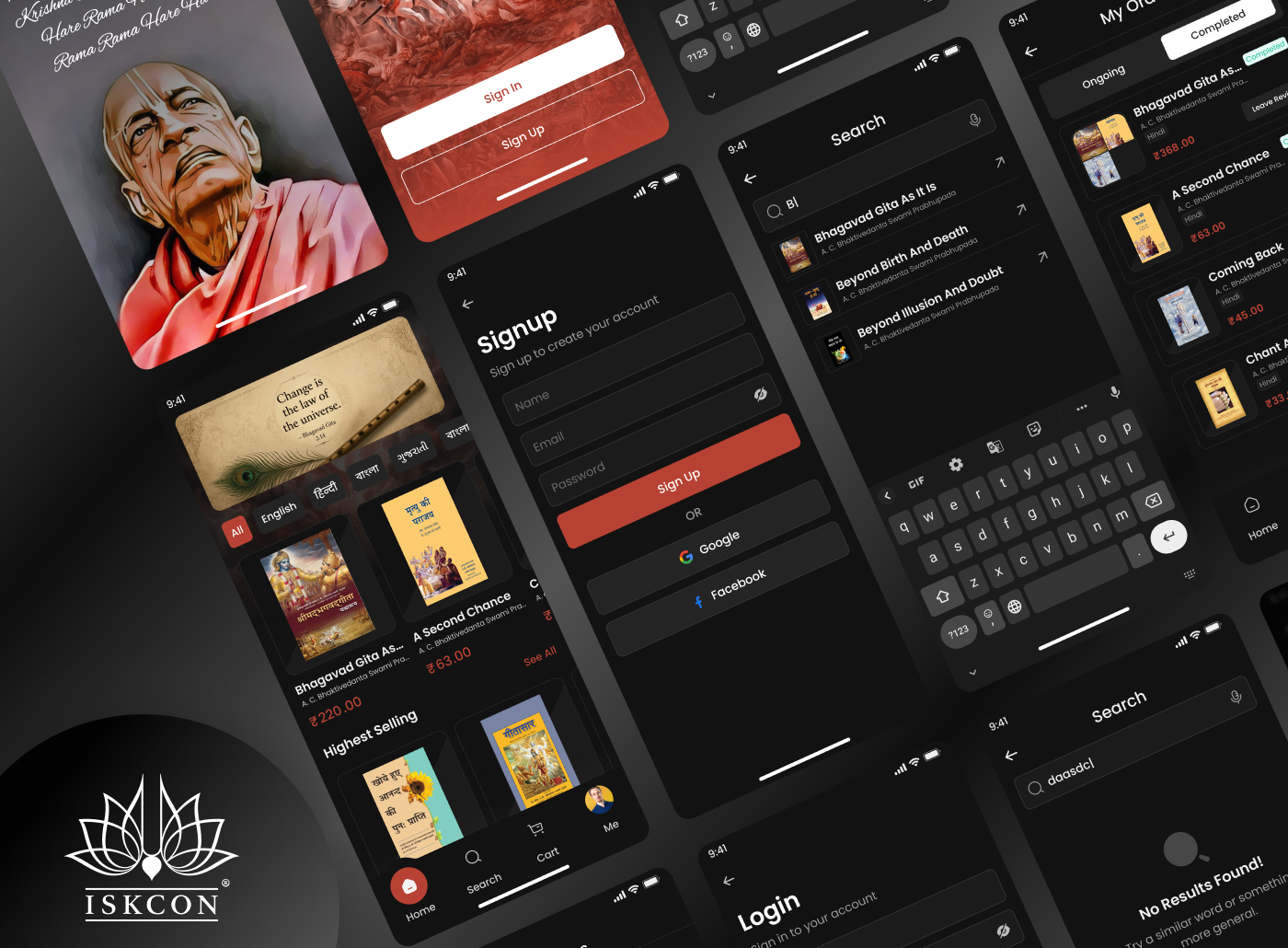
The ISKCON Book Store app is a dedicated platform designed for devotees and spiritual readers who want to purchase and explore books written by Srila Prabhupada and other ISKCON Gurus. The application provides users with a smooth digital bookstore experience where they can browse books, check details, manage cart items, place orders, and track deliveries.
The app focuses on creating a peaceful, devotional, and easy-to-use experience for users who are deeply connected with spiritual reading and ISKCON teachings.
Category
Platform
The Goal
The primary goal of the ISKCON Book Store app was to:
Create a centralized platform for ISKCON book readers.
Simplify the process of discovering and purchasing spiritual books.
Build a devotional and calming user experience aligned with ISKCON values.
Increase accessibility of Prabhupada’s books for devotees worldwide.
Provide a modern digital bookstore experience with smooth navigation and ordering flow.
The Challenge
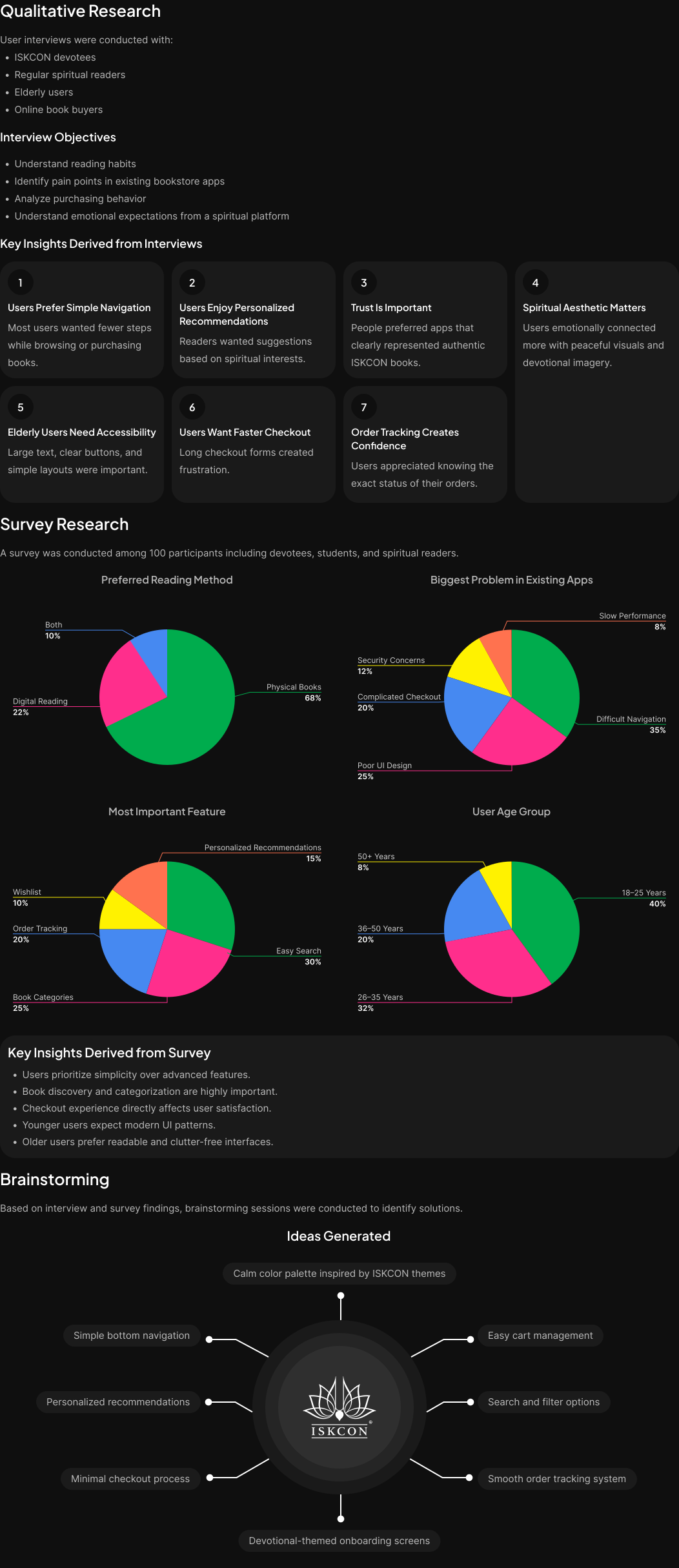
While researching spiritual readers and devotees, several challenges were identified:
Existing platforms felt outdated and difficult to navigate.
Users struggled to discover books based on categories or spiritual interests.
Checkout and order tracking processes were often confusing.
Elderly users found complex interfaces difficult to use.
Many users wanted a peaceful and devotional UI instead of commercial-looking bookstore apps.
Lack of trust and authenticity in other online bookstores.
The challenge was to create a platform that was:
Spiritually aligned,
User-friendly,
Emotionally comforting,
And technically simple for all age groups.
The Solution
To solve these problems, the ISKCON Book Store app was designed with:
A clean and devotional visual design.
Simplified navigation and structured information architecture.
Easy browsing through categories and featured books.
Minimal checkout flow to reduce user effort.
Order tracking and profile management features.
Soft colors and spiritual imagery to create emotional connection.
Simple typography and spacing for better readability.
The final solution resulted in a seamless experience that supports both first-time users and regular ISKCON devotees.
Design Process
I was in responsible for both strategy and visual design for this project as the experience designer.
Discover Phase
Define Phase
Parsonas
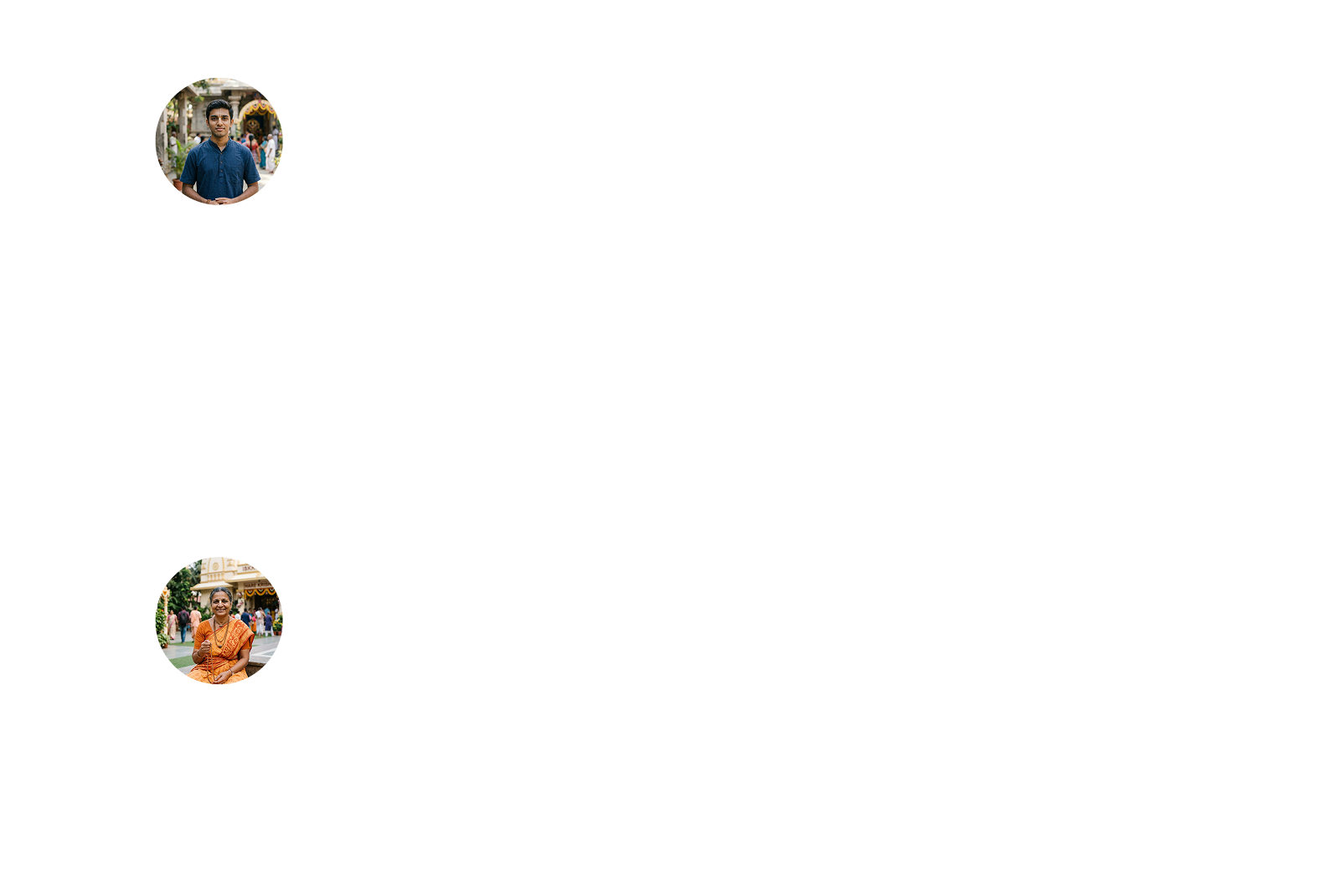
I developed a persona that represents the ideal application user using the information gathered from the survey and interviews. Because the persona provided a thorough insight of the user's objectives, problems, and general personality, it assisted me in coming up with better solutions.
Empthay Map
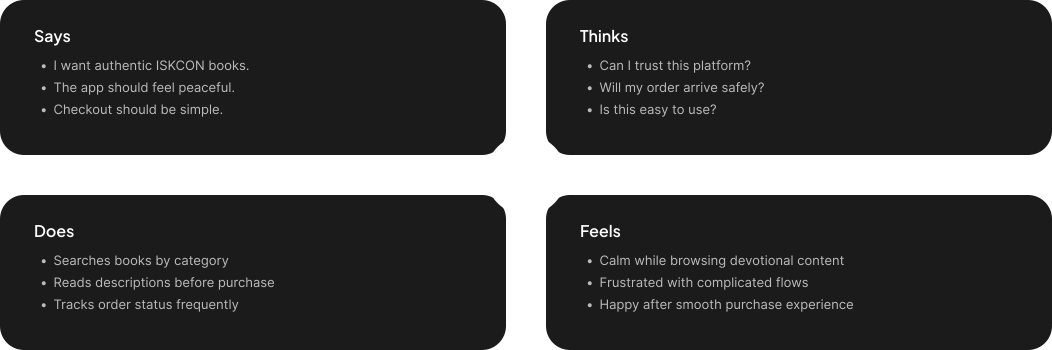
This procedure was carried out in order to better define the target audience and provide examples of their demands and behaviors. I was able to understand their feelings and thoughts by using empathy mapping. The empathy map's information is derived from user interviews.
User Journey Map
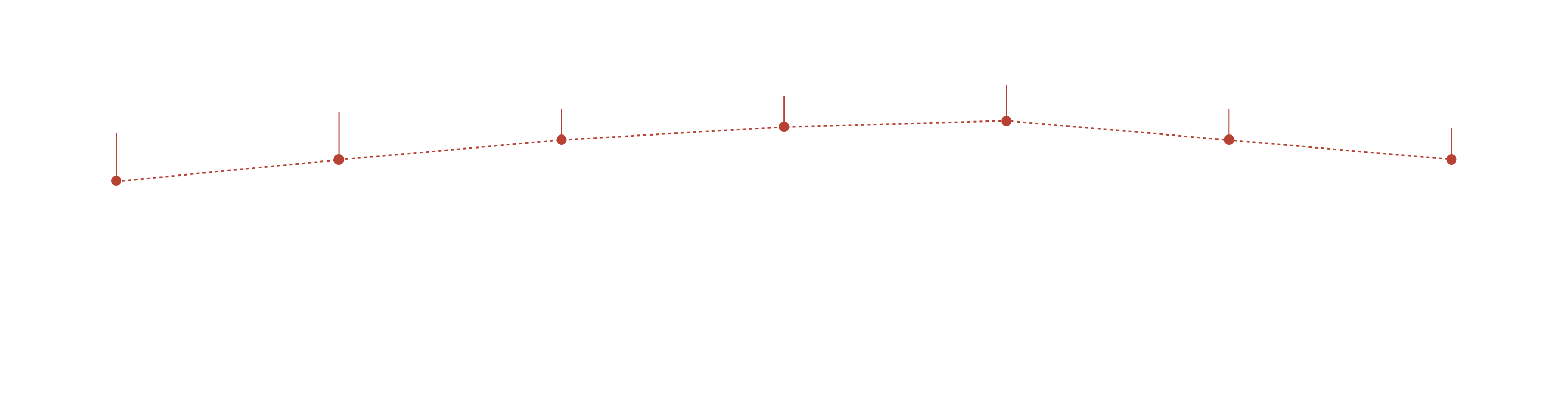
To identify areas where we can enhance the user experience, we created a visual representation of the user's journey across all of our applications touchpoints.
Ideate Phase
User Flow
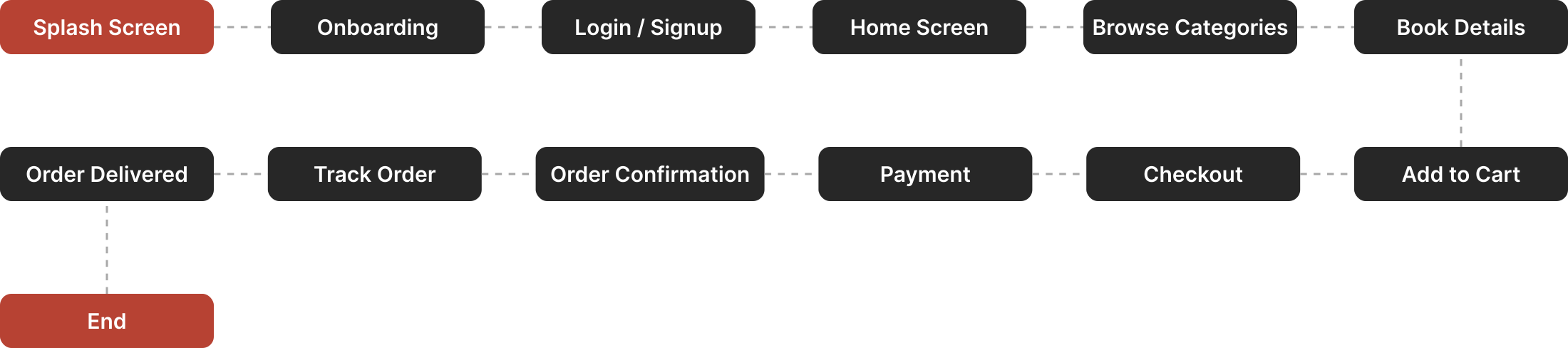
To show how the user will move around the application, I used Miro to construct a flow.
Card Sorting
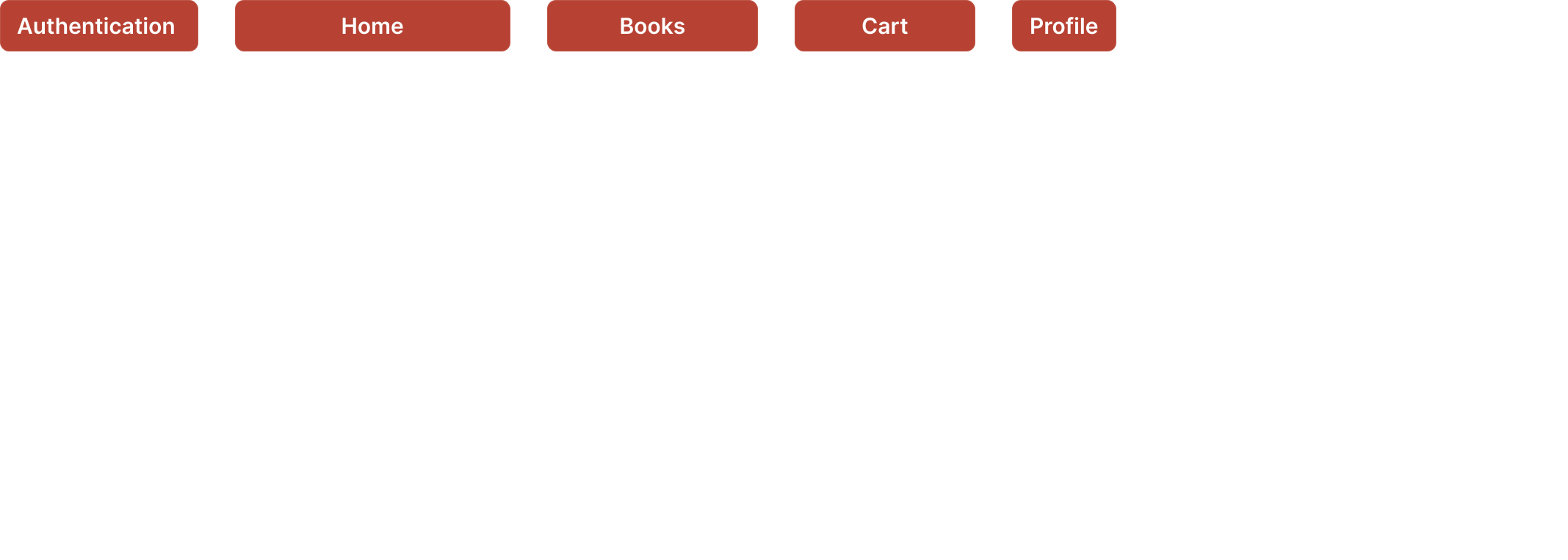
To further help in the organization of the information architecture, all the features were categorized under several parts using card sorting.

Information Architecture
To better fit the application's goals, the card sorting was significantly improved. To make them easier to find, some of the features were re-categorized.
Design Phase
High Fidelity Wireframes
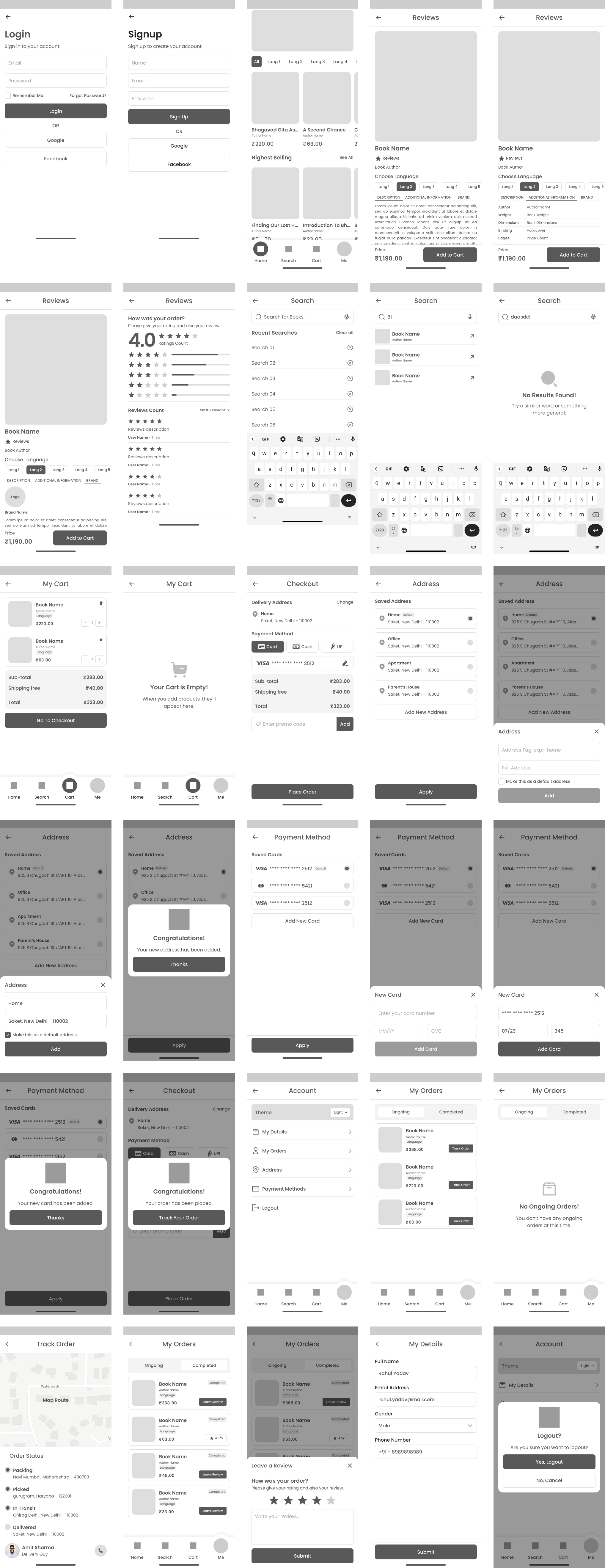
I started by drawing the Low Fidelity Wireframes on paper. I used Figma to construct these High Fidelity Wireframes after making the necessary adjustments in accordance with the design standards.
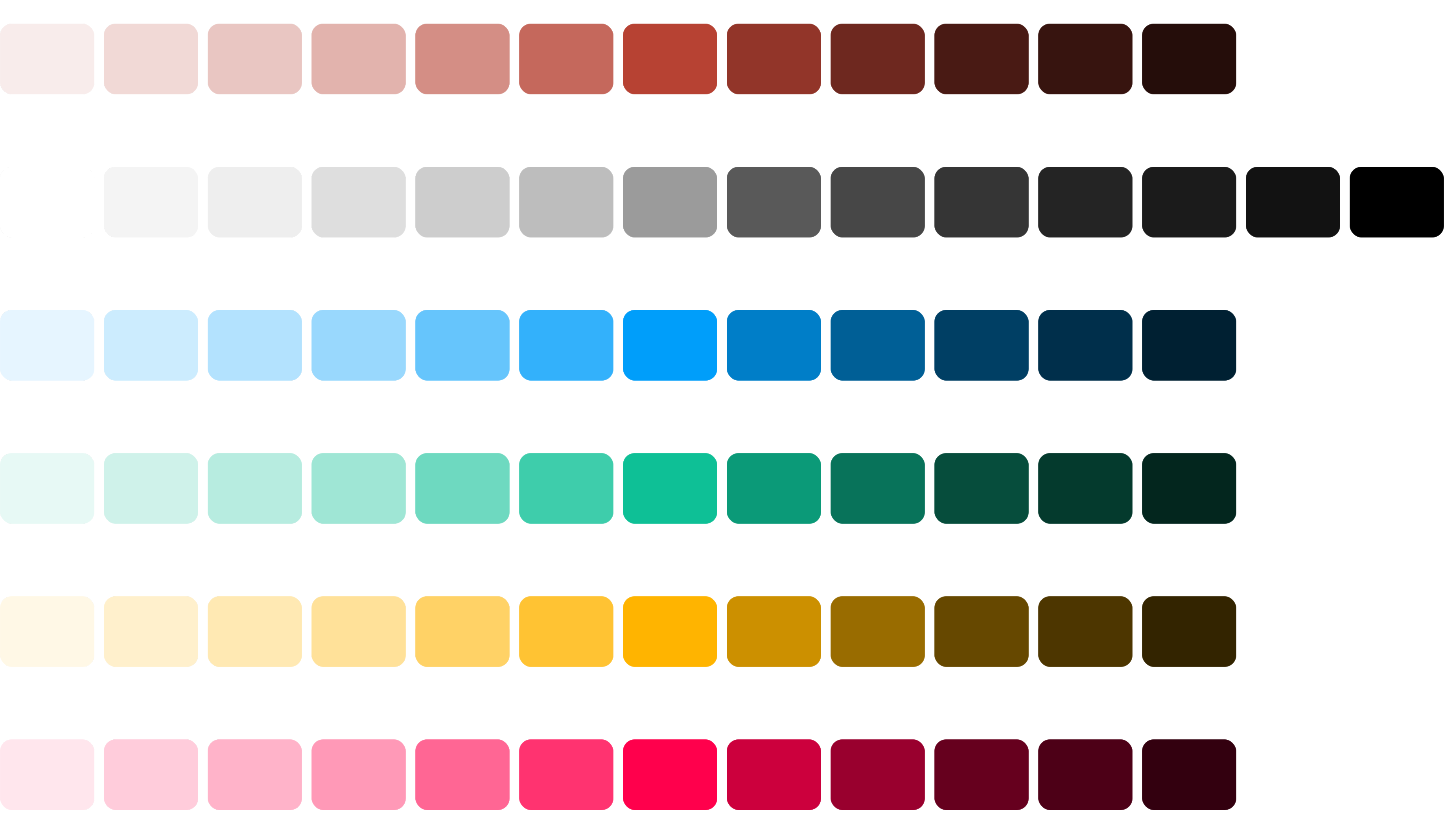
Colors
To create the Final Design I choose these colors.
Typography
In this Design I preferred to use this Font Family and the scale of the Font Size.

Logo
Here are the logo's which represent this Brand.

Designed Screens
Well-structured UI screens focused on improving usability and enhancing user satisfaction.


Test Phase
Usability Testing

Implementing Feedback
The suggestions form usability testing were considered and the following changes were made.